OPNsense
WAN: Telekom
Einstellungen der WAN-Schnittstelle:
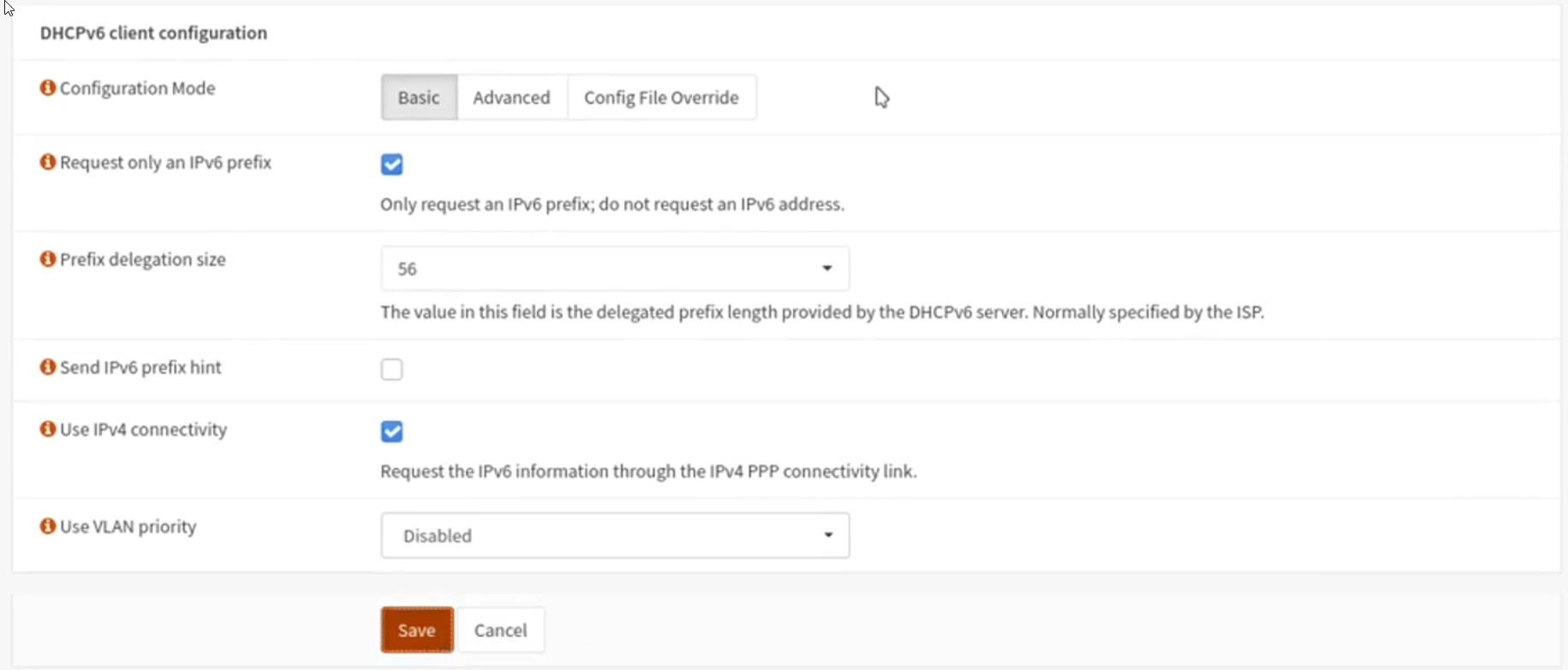
Telekom Zugangsdaten:
Internet Zugangsnummer: 551130513541
Anschlusskennung: 002413230587
Mitbenutzernummer: 0001
Benutzername / PPPoE:"Anschlusskennung"+"Zugangsnummer"+“0001"+"@t-online.de"
0024132305875511305135410001@t-online.de
Plugins
DHCP Server:
Statische IPs einstellen/prüfen:
- KNX Gateway
- Harmonyhub
Crowdsec
AllowLists
You can create a new AllowList using cscli:
cscli allowlist create my_allowlist -d 'created from the docs'To add entries to the AllowList, provide the name and the value you want to allow:
Single IP:
cscli allowlist add my_allowlist 192.168.1.1
CIDR range:
cscli allowlist add my_allowlist 192.168.1.0/24
A key benefit of using AllowLists is that changes take effect immediately—no need to restart CrowdSec.
To view the contents of an AllowList, run:
cscli allowlist inspect my_allowlist
Example output:
──────────────────────────────────────────────
 Allowlist: my_allowlist
──────────────────────────────────────────────
 Name                my_allowlist
 Description         created from the docs
 Created at          2025-05-13T14:10:12.668Z
 Updated at          2025-05-13T14:12:30.177Z
 Managed by Console  no
──────────────────────────────────────────────

───────────────────────────────────────────────────────────────
 Value           Comment  Expiration  Created at
───────────────────────────────────────────────────────────────
 192.168.1.0/24           never       2025-05-13T14:10:12.668Z
───────────────────────────────────────────────────────────────
Quelle:
https://docs.crowdsec.net/u/getting_started/post_installation/whitelists/